BP_Interactive
Interactive Events
Each interactive has it’s own set of events to help you react to players.
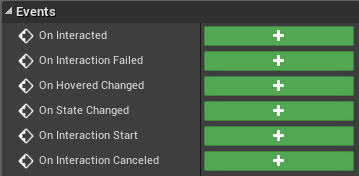
- On Interacted
- Called when the player has successfully interacted. This is where you should hook in your logic.
- On Interaction Failed
- Called when the player has interacted, but failed due to the interactive being locked or disabled.
- On Hovered Changed
- Called when the player has gained or lost focus on this. This is a good place to use your highlight system or whatever effect you want to use to display the player’s focus.
- On State Changed
- Called when the interactives state changes.
- On Interaction Start
- For interactives with durations > 0, this is called at the start, with On Interacted firing at the end.
- On Interaction Cancelled
- Called when the player releases the button partially through the interaction.
Interactive Component Properties
The interactive component can be tweaked and modified to suit your needs. This page should serve as quick cheat sheet explaining each.
Settings
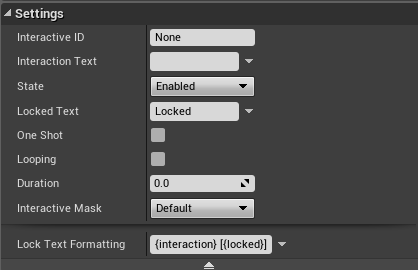
- Interactive ID
- This setting will be used by the relay system, to determine which interactive it was connected to.
- Interaction Text
- Use this text to display in your UI.
- State
- The current state of the Interactive. See Interactive States.
- Locked Text
- Displayed text when player highlights this while it is locked. Could say “locked”, “power off”, etc…
- One Shot
- Determines if the interactive only be interacted once.
- Looping
- Should the interaction repeat itself as long as the player holds interact?
- Duration
- How long should it take to complete the interaction.
- Interactive Mask
- The type of interactive this is. See Events property Scan Filter.
Caching
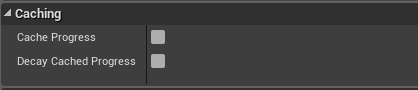
- Cache Progress
- Keeps the current progress of the interaction stored for later. So if you were half way through with a long interaction, when you release the button and then interact again, the progress will be still at half if this property is true.
- Decay Cached Progress
- if Cache Progress is true, this will return the progress to zero, at the same rate as the duration allows.
Audio
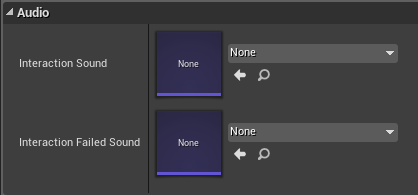
- Interaction Sound
- The sound made on a successful interaction.
- Interaction Failed Sound
- The sound made when an interaction failed.