Connecting Actors
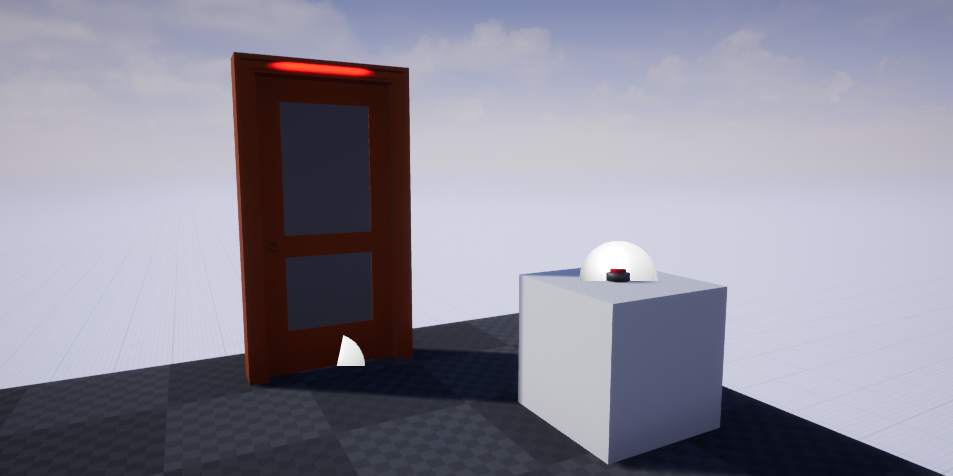
For relays to work, they must be have a connection to an actor’s interaction component. In this example, we’ll have a locked door, with a button to unlock it. For these, I’ve placed the door from EasyInteractionSystem/Blueprints/Templates/BP_Door and EasyInteractionSystem/Blueprints/Templates/BP_SimpleButton.
Note
the door has the property “Start Locked” set to true.
Next, drag an :ref:’unlocker’ into the scene, and look at the details panel.
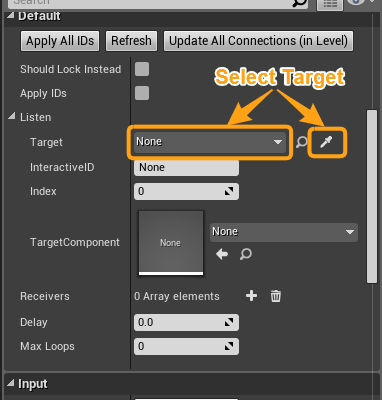
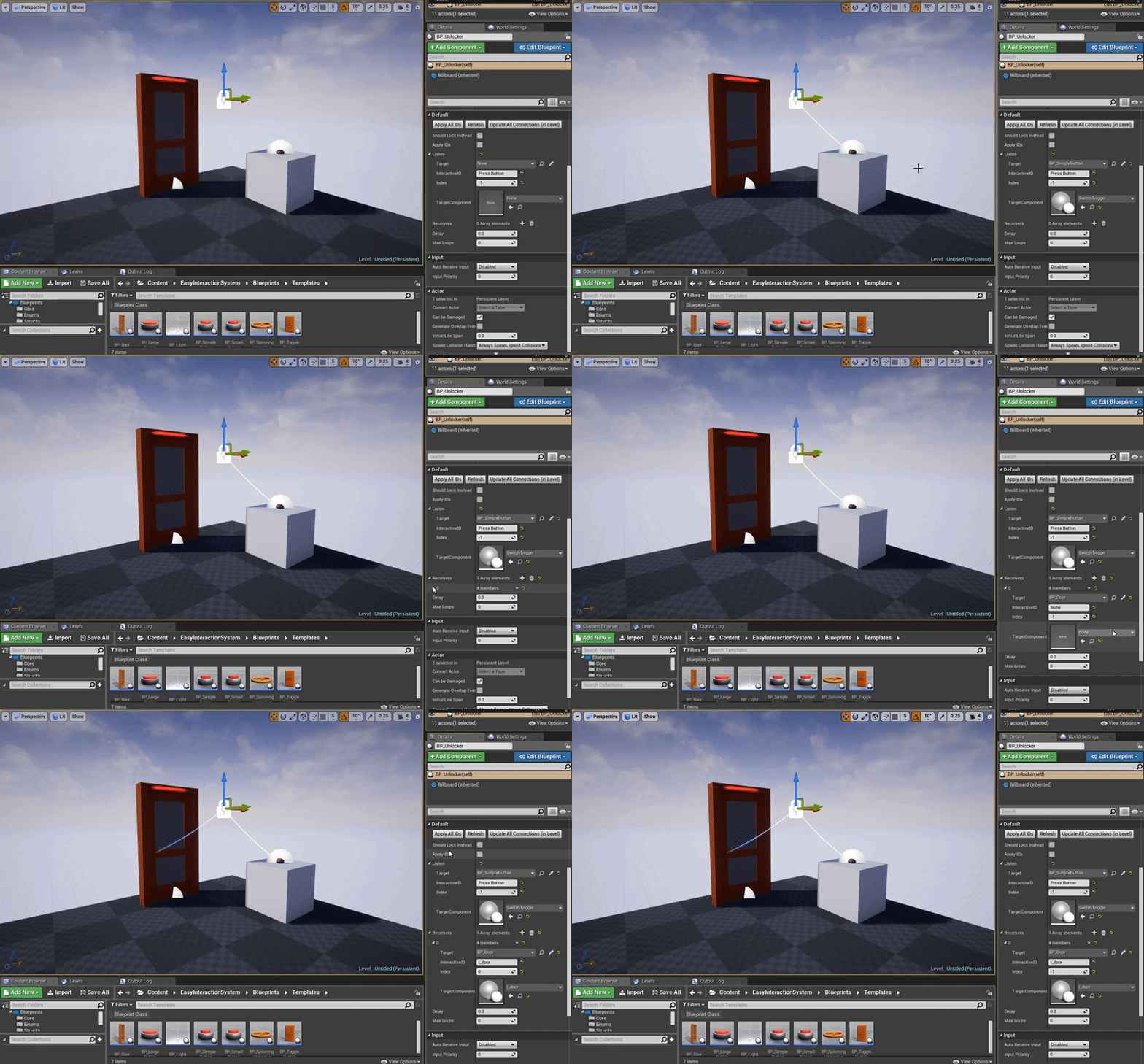
We’ll need to set the listener to the button, and add a receiver (the door). To do so, click the eye dropper and on your target, and cycle the Index until it connects to the proper interactive component (if you only have one, the index of 0 will work). Once you’ve set your components via the index or just setting the id, click the Apply All IDs button. The whole process can be seen in the following clip:
Now, the button should be connected to the door, and pressing the button should unlock it.
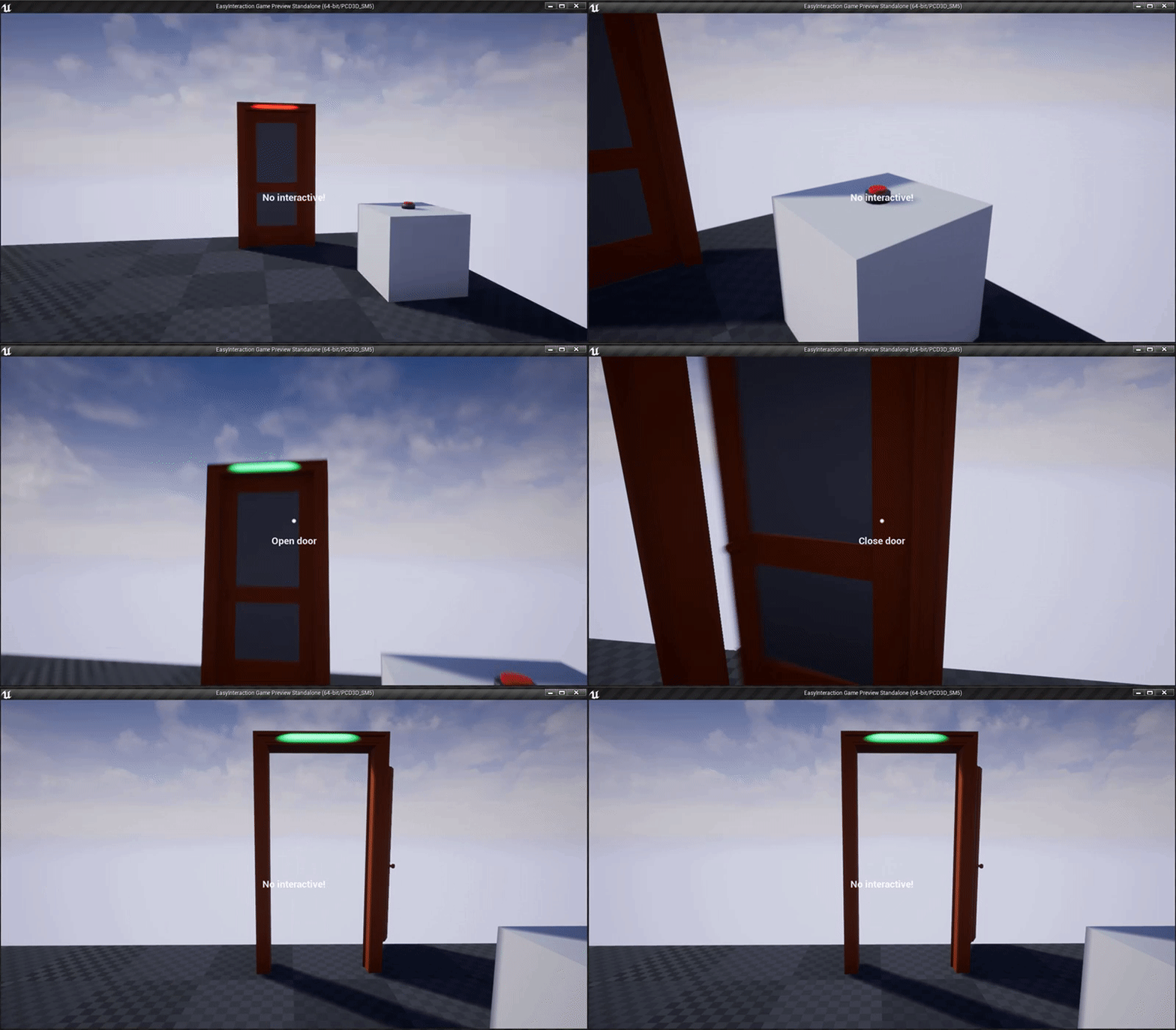
And that’s it! Now you can make more complex connections with this system!